Laxmi Vihar, Bhubaneswar, Odisha
Founder-Led Website, Software & ERP Development in Bhubaneswar, Odisha

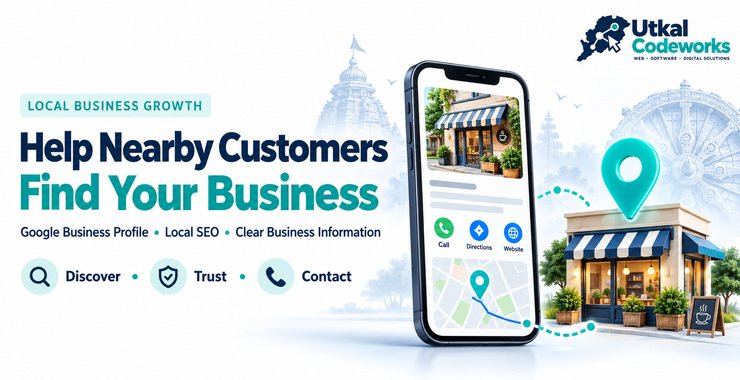
Set up your Google Business Profile in ten steps: claim it, choose the right category, add hours, services and photos, and keep it accurate. Built for Bhubaneswar and Odisha businesses.
When someone needs a nearby clinic, salon, consultant, shop or service provider, they usually start with a quick local search. Before they call, they want fast answers: what do you offer, are you open, where are you, and can they reach you easily?
A complete and accurate Google Business Profile puts those answers in one place. This guide gives a 10-step setup checklist, explains what each part is for and shows how it fits with your website.
A Google Business Profile is the free listing that can appear when people search for your business on Google Search or Google Maps.
It can show your business name, category, phone number, website, opening hours, address or service area, photographs and customer reviews. Creating it is only the beginning: the details must be complete, accurate and kept up to date.
Search your business name and area on Google. If a listing already exists, you may need to claim it instead of creating a duplicate, because two profiles for one business confuse customers and Google.
Use the name shown on your signboard and documents. Adding keywords or locations to the name breaks Google's guidelines and can lead to suspension.
The primary category tells Google what you mainly are, for example "Dental clinic" or "Software company". Pick the closest match first, then add a few accurate secondary categories.
Place the map pin on your actual entrance. If you travel to customers and do not receive visitors, a service-area business can usually hide its address and list the areas it serves, within Google's rules.
Use a number that is answered during opening hours and a website link that opens quickly on a phone. Check both after saving.
Wrong hours are one of the most common reasons people lose trust. Add special hours for festivals such as Raja or Durga Puja so customers are not turned away.
Explain in plain language what you do, who you serve and where. Mention your genuine location once. Do not copy text from other websites.
Add each main service with a short description. This helps people understand your offer before they contact you.
Use recent photos of your premises, team, work and products. Real images build more confidence than stock pictures.
Google asks you to prove the business is yours, often by video, phone, email or postcard depending on the case. Follow the steps shown in your account. Verification timelines are decided by Google, so allow some days.
Want a second pair of eyes on your listing? We can review your category, description, hours and photos and tell you what to fix first.
Ask us to review your Google Business ProfileA relevant category, clear service information and an accurate location help Google understand what your business does and where it operates.
This does not guarantee a particular position, but it gives both Google and customers better information. Our Local SEO and Google Business Profile service works on the same details, together with the pages on your website.
Recent photographs, a clear description and genuine reviews make a business look active and trustworthy.
Reply to reviews politely, including critical ones. A calm and helpful reply to a complaint often leaves a better impression than silence. Never buy reviews or ask friends to post fake ones, as this can get the profile removed.
Review your profile regularly and check the details a customer depends on:
Small errors cause real frustration. A wrong phone number, an old closing time or a misplaced map pin can send a customer to a competitor.
Local search is strongest when your profile matches how people in your area actually describe the place and the service.
Google does not charge to create or manage a Business Profile. Our fee covers setup, optimisation and ongoing management. These are the prices on our packages page:
We cannot guarantee verification timelines, search rankings, review volume or a top-three Maps placement, and nobody honestly can.
Most problems with Business Profiles come from a handful of avoidable mistakes, and several of them can get a listing suspended.
The safest way to get reviews is to ask real customers after a good experience and make it easy to respond.
A steady trickle of honest reviews looks more credible than a sudden burst, and it is the version Google rewards.
No, not completely. Your profile helps people find and contact you quickly, while your website gives you room to explain services, answer detailed questions, show your work and guide visitors to an enquiry.
They work best together: the profile supports local discovery and the website gives you a presence you control. If you do not have a site yet, read our small business website checklist before you start.
The goal is not to fill every field once and forget it. Your profile should reflect how the business operates today.
Update changed hours, add useful photos, review your services and reply respectfully to genuine feedback. A profile that stays accurate is more useful to customers and to you.
Yes. Eligible businesses can create and manage a Business Profile on Google without paying Google. You may still choose to pay a professional for setup, optimisation, content or ongoing management.
Not always. Eligible service-area businesses can usually hide their address and show the areas they serve. The business must still follow Google's eligibility and representation guidelines.
No. No responsible provider should guarantee a specific position in Search or Maps. A complete and accurate profile supports visibility, but results depend on several factors outside any agency's control.
Update it whenever important information changes. It is also helpful to review hours, services, photographs and contact details regularly so customers continue to see accurate information.
Yes, in most cases. The profile supports local discovery and quick actions, while the website explains your services in greater detail and gives your business a more complete online presence.